
Wordpress
Best Website Design Platform? WordPress – 7 Reasons Why
Sep
We all want a site that feels fast, looks great, and grows with us. We want control without stress. We want tools that work today and still work a year from now. In other words, we want a platform that meets us where we are and moves with us as we level up.
That is why WordPress keeps winning.
It powers simple blogs, high-traffic newsrooms, shops, portfolios, nonprofits, schools, and membership sites. It is open, flexible, and friendly. But most of all, it respects how real teams work. We can start small. We can ship early. We can improve a little each week. After more than a few cycles, we look back and see a system that feels calm and strong.
Below, we lay out seven clear reasons WordPress is the best website design platform right now. Then we share simple playbooks you can copy. No fluff. Just a path you can trust.
7 Clear Reasons WordPress Leads
Let’s keep this simple and practical. Here are the seven big reasons we reach for WordPress when the goal is a site that lasts.
1) You Own It. You Control It.
Ownership is freedom. With WordPress, your content lives in your database. Your theme and media live in your files. You can export, migrate, and back up anytime. You are not locked into a single vendor or a closed template system. If your hosting needs change, you move your site. If you need a custom feature, you add it. If you want a new design, you switch themes or build a child theme. It is your stack.
This matters on day one. It matters more on day 365. Because business needs shift. Traffic grows. Teams change. A platform that gives you the keys from the start protects your time, money, and peace of mind.
2) Design Freedom Without Chaos
Design should feel like play, not pain. The modern WordPress editor uses blocks. Think of blocks like Lego for the web. Headings, images, columns, buttons, galleries, tabs, callouts—each is a block you can place, move, and style. You can build pages with clean patterns and reusable layouts. You can tweak global styles for color, type, and spacing so the whole site stays consistent.
Do you like visual control? Use a quality theme with polished patterns. Want deeper power? Use site editing to shape headers, footers, and templates. Prefer to stay lean? Pair a light theme with a small block suite and keep the code tight. In other words, you choose the level of control that fits your skills and your timeline.
The best part is focus. Blocks keep us inside WordPress. We are not jumping between five tools or pasting code snippets for every little change. We write, we shape, we ship.
3) A Massive Ecosystem of Plugins and Integrations
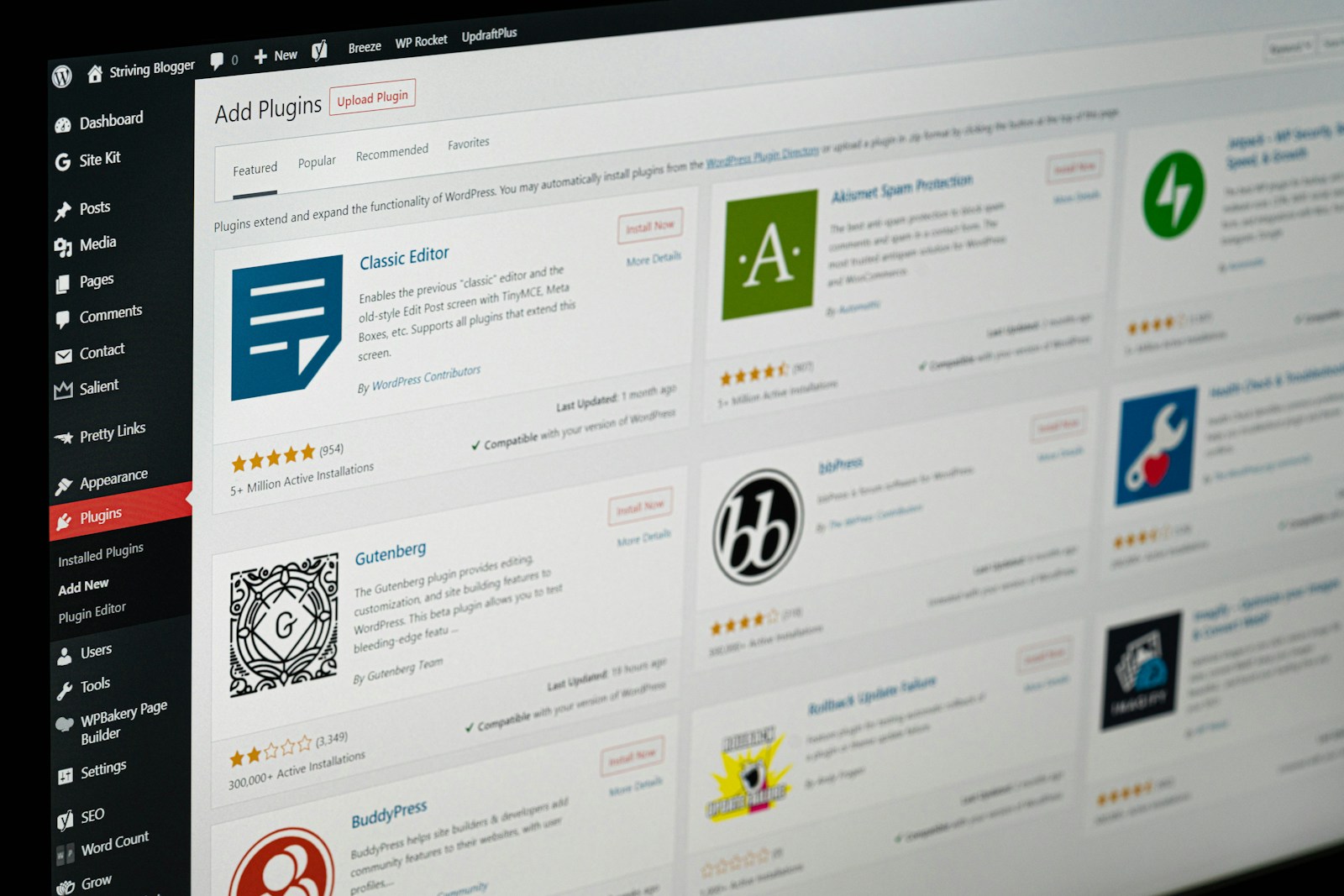
Your site needs more than pages. It needs forms, SEO, analytics, caching, image compression, payments, memberships, learning tools, event calendars, and more. WordPress has thousands of trusted plugins that cover all of this. Most install in seconds. Many ship with friendly setup wizards. You pick one tool per job and move on.
This ecosystem saves weeks. Instead of custom code for every feature, we click, configure, and test. We can connect our CRM, email platform, store, and help desk. We can automate handoffs. We can embed maps, feeds, and media with ease. And because the galapagos islands national park ecosystem is huge, we can switch tools later without rebuilding the whole site.
The rule that keeps it calm is simple: fewer, better plugins. One for cache. One for images. One for SEO. One for forms. One for backups. One for security. When we avoid overlap, we avoid bloat. The site stays fast and stable. We keep our energy for content and customers.
4) Built to Win at Content and SEO
WordPress began as a publishing tool. That DNA still shows. The editor feels like writing. Drafts are simple. Revisions are safe. Scheduling is easy. You can add categories and tags to shape your library. You can build custom post types for things like projects, recipes, properties, or case stories. The URL structure is clean. The HTML is tidy. Search engines like that.
Add a focused SEO plugin and you cover titles, meta descriptions, XML sitemaps, breadcrumbs, and schema for articles, FAQs, and how-tos. You can tune internal links and keep readers moving through your best pages. You can mark cornerstone posts and use tables of contents to help scanners. In short, the platform supports the habits that win: clear structure, fast pages, and helpful content.
This is not about chasing a perfect score. It is about making pages people love, then giving search engines the signals they need. WordPress makes that path short.
5) Speed and Performance at Any Budget
Speed builds trust. It lifts conversions. It reduces support. With WordPress, you can be fast even on a lean budget. A light theme, one cache plugin, one image optimizer, and good hosting will get you far. Lazy load images and iframes. Serve modern formats. Limit fonts. Keep scripts slim. These are simple moves that compound.
As your traffic grows, you can scale smoothly. Add a CDN. Turn on object caching. Profile heavy queries. Trim unused scripts on a per-page basis. Because you control the stack, you decide where to invest. You can keep the site light without giving up features. You can hit emotional support drink bottle Core Web Vitals without a rebuild. And when a new best practice lands, you can adopt it fast.
6) Scales From Solo to Enterprise
WordPress fits solo creators who publish once a week. It also fits large teams with many roles, workflows, and approvals. You can start with drafts and a simple checklist. Later, add an editorial calendar, custom roles, and multi-step reviews. You can run one site or a whole network with shared themes and plugins. You can serve one language or many.
Need to sell? Add a store. Need memberships? Add a paywall. Need courses? Add an LMS. Need bookings or donations? Add the right plugin and a payment gateway. The base stays the same. You stack features as your plan grows. That is what we mean by “scale”: not just traffic, but complexity, content types, and team size—all moving forward without drama.
7) A Global Community and Deep Talent Pool
You are never stuck alone. WordPress has a huge community of designers, developers, marketers, and writers. There are meetups, camps, forums, and guides. If you hit a wall, someone has seen that wall and left a ladder.
This also means talent is easier to find. When you need help, you can hire for a sprint or a long run. You do not need a rare specialist for every task. Many pros know the editor, the theme layer, and the plugin ecosystem well. That reduces cost and speeds up delivery. It also protects you if a vendor goes quiet. Someone else can step in and keep the work moving.
Practical Playbooks You Can Copy Today
Now let’s turn reasons into action. Here are simple, battle-tested playbooks for the most common use cases. Each one follows the same idea: one tool per job, clear layouts, and small habits that compound.
Playbook A: Local Service Business (Launch in Two Weeks)
Goal: Calls and form leads from your city or region.
Week 1 — Foundations
- Pick a light theme with good block patterns. Set brand colors and two fonts.
- Create pages: Home, Services, About, Reviews, Blog, Contact.
- On Home, lead with a short promise, a clear CTA, and three fast proof points.
- Turn on caching and image compression. Set daily database and weekly full backups.
- Add a simple contact form (name, email, phone, short message). Keep it human.
Week 2 — Trust and Local Signals
- Write one strong service page per offer. Use short sections, FAQs, and photos.
- Add reviews and a map. Keep NAP (name, address, phone) consistent in footer.
- Set SEO titles and meta. Enable breadcrumbs.
- Publish one helpful blog post that answers a common local question.
- Test on a phone: menu, form, and above-the-fold CTA.
Care routine (15 minutes weekly)
- Update plugins. Check backups. Improve one page. Add two internal links.
- Review top search queries. Tune one title or meta.
Why this wins: clear promise, fast pages, simple contact, and steady local signals.
Playbook B: Creator Blog With Email List (Start Lean, Grow Steady)
Goal: Publish weekly. Grow subscribers. Sell later.
Day 1 — Setup
- Choose a clean blog theme. Create a post pattern with an intro, subheads, pull quote, and CTA.
- Install one cache plugin, one image optimizer, one SEO plugin, and backups.
- Add an email tool. Place one opt-in above the fold and one after content.
Day 2 — First Pillar Post
- Write 1,200–1,800 words with a tight hook and clear steps.
- Add a table of contents and two related links.
- Set a crisp meta description that says why the post helps.
Days 3–7 — Launch and Learn
- Publish. Share once. Re-share a short clip two days later.
- Check analytics. If clicks are low, sharpen the headline and meta.
- If time on page is low, compress the hero image and tighten the intro.
Weekly habit
- One post. One small site improvement. One new internal link into your pillar.
- Monthly, update the pillar with one new example.
Why this wins: consistent publishing, clear structure, and tiny improvements guided by simple numbers.
Playbook C: Online Store (Fast, Friendly, and Mobile-First)
Goal: A shop that loads fast, looks clean, and converts.
Week 1 — Core Shop
- Use a WooCommerce-ready theme with clean top places to see in Tennessee product and checkout templates.
- Compress all product images on upload. Keep sizes realistic.
- Configure taxes, shipping, and payments. Test a full checkout on a phone.
- Exclude cart and checkout from page caching. Keep scripts lean on those pages.
Week 2 — Polish and Trust
- Write short, scannable product copy: problem → promise → proof → specs.
- Add FAQs on product pages. Add reviews.
- Set SEO titles and meta for category pages.
- Build one simple landing page for your best seller with a clear story and comparison.
Care routine
- Weekly: update, back up, and test checkout.
- Monthly: review top exits. Fix one friction point. Swap one heavy image.
Why this wins: speed, clarity, and trust where money changes hands.
Playbook D: Membership or Course (Value, Not Confusion)
Goal: Sell access to lessons, guides, or a private community.
Week 1 — Structure
- Map the journey: landing page → checkout → onboarding email → first success step.
- Use a clean membership or LMS plugin. Keep roles and permissions simple at first.
- Write a plain-language promise for your landing page. Add three outcomes and one guarantee.
Week 2 — Onboarding and Retention
- Create a welcome page with “Start here” steps.
- Add a short checklist and a first task people can finish in 10 minutes.
- Set a weekly email rhythm with tips and highlights.
Care routine
- Track completion of the first lesson or milestone. Improve the first 10 minutes until 70%+ finish.
- Each month, add one lesson and improve one old one.
Why this wins: clear promises, fast first wins, and a steady cadence that keeps members moving.
Simple Principles That Keep WordPress Calm
No matter your use case, these rules protect your time and speed:
One tool per job.
One cache, one image optimizer, one SEO plugin, one can you survive a zombie apocalypse forms tool, one backup, one security suite. Overlap creates bugs and slow pages.
Design the system, then the page.
Set global colors, type scales, and spacing first. Save patterns for hero, features, proof, and CTA. Then build pages by stacking patterns. This keeps things tidy and fast.
Write for humans, signal for search.
Short paragraphs. Clear subheads. Real examples. Then set titles, meta, and schema. Humans first. Signals second. Results follow.
Guard the fold on mobile.
Promise, proof, action—visible without scrolling. Large tap targets. Simple menus. Heavy sliders and giant images are the usual speed leaks. Avoid them.
Back up and update weekly.
Make small updates often. Test a restore each quarter. Calm beats chaos.
Measure lightly, act quickly.
Glance at top pages, top queries, and exits. Make one change. Ship it. Re-check in a week. Tiny moves compound.
Trail Markers for a Confident Build
You wanted the best website design platform. You wanted a clear answer. Here it is: choose WordPress when you want control, speed, and room to grow. Choose it when you want a tool that respects your time. Choose it when you want freedom to change hosts, add features, and keep your data as your own.
We covered the seven reasons it leads: ownership, design freedom, a deep plugin world, content and SEO strength, speed options at every budget, smooth scaling, and a global community. We also gave you simple playbooks you can follow right now. Not someday. Today.
So let’s move with clarity:
- Pick a light theme.
- Install the essentials.
- Build with blocks and patterns.
- Keep one tool per job.
- Publish with a promise up top and proof nearby.
- Back up, update, and improve one thing each week.
This is the calm path to a site that works. Pages load fast. Readers feel welcome. Search engines understand you. Sales and signups rise without stunts. And you get to spend your time where it matters—on your ideas, your craft, and your customers.
WordPress gives us that path. We just have to walk it—steady, simple, and together.
